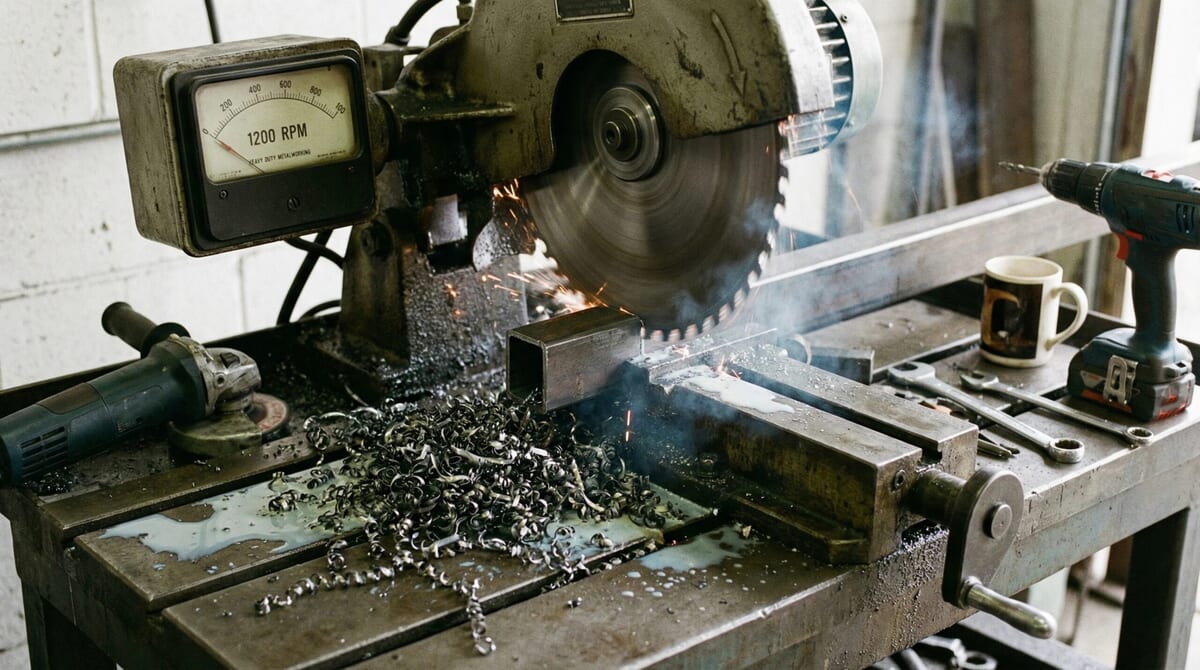
Understanding how power tools work can make a significant difference in tool life, safety, and overall work quality. A key concept often misunderstood is RPM vs cutting speed in power tools, especially when using drills, saws, grinders, or milling equipment. While RPM (revolutions per minute) measures how fast a tool spins, cutting speed determines how efficiently material is removed at the contact point. When these two factors are correctly matched, performance improves, heat buildup is reduced, and projects run more smoothly whether working in North America, Australia, New Zealand, or Europe.
What’s the Difference Between RPM and Cutting Speed?
RPM measures how many times a tool or a blade spins around its axis in one minute. A higher RPM means the tool is spinning faster. Cutting speed is the speed at which the cutting edge of the tool moves past the material being cut. While RPM shows how fast the tool is spinning, cutting speed tells you how quickly the tool interacts with the workpiece.
In practical terms, RPM usually appears on power tool dials or displays. Cutting speed is commonly given in surface feet per minute (SFM) or meters per minute (m/min). It involves both the RPM and the tool’s diameter. A bigger tool spinning at the same RPM as a smaller one will actually have a higher cutting speed, since its edge covers a longer distance with each revolution.
Why Do RPM and Cutting Speed Matter With Power Tools?
Paying attention to both RPM and cutting speed helps users steer clear of excessive heat, tool wear, or even dangerous kickbacks. For woodworkers and metal fabricators, matching the correct speed to the material keeps results clean and accurate. It also reduces the chance of ruining a tool or workpiece.
Power tools like drills, angle grinders, and circular saws all work best within a recommended RPM and cutting speed span. For instance, pushing a high-speed steel drill bit through stainless steel at too high a speed can dull the bit fast, causing poor results or making it snap. This caution applies whether using American, Australian, New Zealand, or European-branded equipment, since many material and engineering standards are shared internationally.
Calculating the Right Speed for the Job
Knowing how to calculate RPM from cutting speed, and vice versa, lets tool users work more accurately. The formulas themselves are straightforward once you get used to them:
- For tools in inches (imperial):
RPM = (Cutting Speed x 4) / Diameter of tool (in inches)
- For tools in millimeters (metric):
RPM = (1000 x Cutting Speed) / (π x Diameter of tool in mm)
As an example, drilling mild steel (with a recommended cutting speed of about 100 feet/min, or about 30 m/min) with a 1/2 inch (about 12 mm) bit, the calculation will point to a much lower RPM than you might expect if you only look at the speed dials or force your way through tough material quickly.
Common Materials and Their Cutting Speeds
Each material has an ideal cutting speed for best results. Here’s a quick guide for everyday materials when using high-speed steel tools:
- Mild Steel: 80-120 ft/min (24-37 m/min)
- Stainless Steel: 30-50 ft/min (9-15 m/min)
- Aluminum and Alloys: 200-300 ft/min (60-90 m/min)
- Brass: 200-300 ft/min (60-90 m/min)
- Wood (soft): 2500–4000 ft/min (750-1200 m/min)
Be sure to check the manufacturer’s recommendations coatings like carbide or titanium nitride, and changes in hardness, can mean these numbers need updating. For tool users in the U.S., Australia, and Europe, handy charts are available in catalogs, on wall posters, and in apps that help with these conversions quickly.
What Happens if Cutting Speeds Are Wrong?
Getting cutting speeds wrong can have serious effects. Too much speed brings on excessive heat and premature tool wear, which can show up as chattering, rough surfaces, or blueing of metals. Melting, burning, or clogging might show up in plastics or soft woods if speeds are far off. Too little speed wastes time, causes poor swarf removal, and raises the risk of sticking or snapping the tool.
Shops across the USA, Australia, and New Zealand often trust their ears and sense of touch. If the cut sounds harsh or feels odd, that’s a sign an adjustment is needed. If unsure, slow the speed and use a quality cutting fluid, especially for tough alloys, to help lengthen tool life.
Matching Power Tool Settings to Material
Most modern power tools in the U.S., Australia, and Europe come with variable speed controls. Drills may have a trigger or dial; saws and grinders might use a knob or gear lever. Matching the right tool RPM, material choice, and diameter really makes a difference.
- Drilling Steel: Start slower about 300-600 RPM for large bits, up to 2000 RPM for tiny ones.
- Drilling Aluminum: Use a faster speed than steel, but back off if the bit starts to bind or “weld.”
- Wood Drilling and Sawing: Go faster, but keep a steady feed so you don’t burn the wood.
Switching your approach based on each specific job, and even the subtleties within material types, helps results stay consistent and reduces accidents.
Things to Watch For Before Using Power Tools
No matter the material or the machine, some basic checks put you on the right path for safe and efficient speeds:
- Tool Sharpness: Dull blades or bits mean hot tools and sluggish work, no matter what the RPM is. Sharpen or swap out worn cutters for the best performance.
- Tool Type and Coating: Carbide and coated tips stand up to hotter, faster work compared to regular high-speed steel. Always check the packaging or maker’s notes.
- Clamping the Workpiece: Secure your project tightly. Loose work means chattering or even injuries.
- Lubrication: With metals, proper oil or lube cuts down friction and heat, so you can work closer to ideal speeds.
- Protective Gear: Goggles and gloves prevent injuries, especially from chips or sudden tool movement.
Tool Sharpness
A sharp tool gives clean cuts and handles a wide span of speeds. Touch up bits and blades routinely to build up good work and keep the heat down.
Tool Type and Coating
Certain jobs call for special coatings or tip materials carbide or diamond for very hard jobs, cobalt for high-temp work. Specialty options can allow faster cutting, but always start cautiously and speed up as you gain confidence.
Workpiece Security
Vibration ruins even the best setups. Clamp metal, wood, or plastic down tight, or use a drill press vise. It’s a simple but mighty step in both professional and home shops.
Lubrication
Using the right lube cutting oils for metal, beeswax for wood, special sprays for plastics keeps things moving cleanly. In some shops, soapy water is the secret for easier cuts in aluminum or brass, a practical tip passed down for decades.
Protective Gear
Wear safety glasses to keep debris out of your eyes when adjusting speed, changing tools, or starting cuts. Thick gloves are a must for stopping hot chips and sudden tool jumps. Many workshops in the USA, Australia, and New Zealand require these items before any high-speed work begins.
Advanced Suggestions for Precision and Longevity
Once you’re comfortable with the basics of RPM and cutting speed, a few more habits help your projects look sharper and your tools last longer:
- Always check the most recent manufacturer settings for your tool and material.
- Let tools reach full speed before you begin cutting.
- Pause to clear chips regularly; it helps cooling and swarf removal, particularly in drilling and grinding work.
- Test different speeds and feeds on scrap pieces before your actual project.
Sticking with these steps brings fewer broken tools, smoother finishes, and growing confidence in picking just the right speed—whether you’re working in Melbourne, Houston, or Auckland.
Frequently Asked Questions
Question: Is faster always better when cutting with power tools?
Answer: Not always. The best speed depends on your tool’s diameter, the workpiece material, and which blade or bit you’re using. Going too fast can burn materials or dull tools instantly. Harder materials generally need slower speeds to avoid damage.
Question: What happens if the RPM is set too high?
Answer: You’ll often get overheated and dulled tools that make poor-quality cuts. With metals, running too fast could even lead to blueing or tool breakage.
Question: Why do professional charts seem to differ between sources?
Answer: Manufacturers update recommendations or set different ranges based on new coatings, design tweaks, or recent testing. Always check the most current information for your specific tool and brand.
Next Recommended Article
Understanding the Memory Effect in Power Tool Batteries
References
- Hare & Forbes Machinery house: Cutting Speeds & Feeds Charts
- MSC Direct: Milling Speed and Feed Calculator
- Sutton Tools: Speed and Feed Calculator (Australia)
Editorial Disclaimer
This content is for educational purposes only. Always follow manufacturer guidance and safety procedures.